







QuiverAI Releases Arrow 2 — an AI Model That Generates Editable SVG Graphics From Text
 ·
18.09.2026 22:53
·
3 min read
·
18.09.2026 22:53
·
3 min read
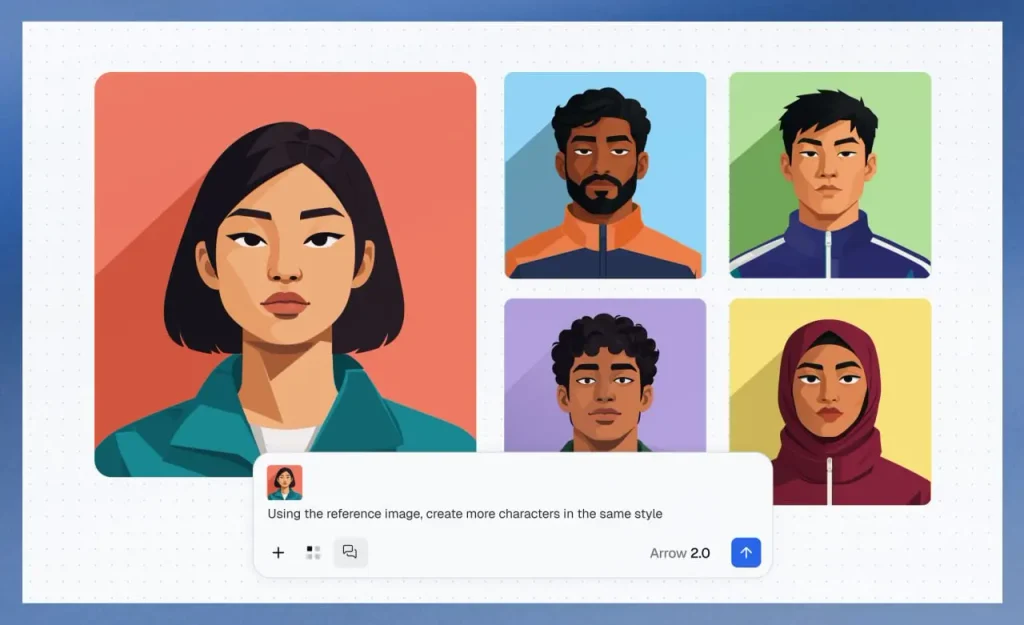
QuiverAI has unveiled Arrow 2, a new AI model for generating, vectorizing and animating SVG graphics. Instead of a regular raster image, users get a structured vector whose elements can be edited, recolored and scaled individually without any loss of quality.
The model was introduced on September 7, 2026. It works with text prompts and references and is designed for logos, icons, illustrations, diagrams and technical drawings. QuiverAI says Arrow 2 generates cleaner geometry with fewer redundant control points and does a better job of respecting spacing, alignment and overall composition.
SVG files can be edited after generation
The key difference between Arrow 2 and most image generators is that the output remains full-fledged vector graphics rather than a flat picture. That is especially useful for logos, UI elements and other graphics that need to be refined after generation.
In the updated QuiverAI app, generated SVGs can be opened on a canvas, where individual elements can be selected and duplicated, changes undone, the image scaled and its structure adjusted by hand. Changes on the canvas sync with the chat with the AI model. According to the QuiverAI changelog, as of September 16 Arrow 2 has become the app’s primary model, while Arrow 1, 1.1 and 1.1 Max are now available only through the API.
Arrow 2 can also vectorize raster images. For example, users can upload a sketch or drawing to the service and get an editable SVG that can then be scaled or refined in graphics tools. That capability may be more practical than regular AI generation in cases where the final asset needs to remain suitable for a designer’s manual work.
Introducing Arrow 2
— QuiverAI (@QuiverAI) September 16, 2026
Our latest and most advanced models for generating precise, editable vector graphics.
Higher quality. Faster outputs. Available now in App and API. pic.twitter.com/Oxl8fpYyQo
Arrow 2 can now animate SVG elements
Another area is small vector animations. The model can animate existing shapes and groups within an SVG. QuiverAI lists logos, loading indicators, UI elements, illustrations and animated icons among the use cases.
That sets it apart from video generators like Sora or Veo: Arrow works with the SVG structure, moving or modifying the vector objects inside it while keeping the result suitable for web interfaces.
At the same time, the company introduced Arrow 2 Telos. QuiverAI recommends the regular Arrow 2 for tasks where speed and the cost per image matter, while Telos is meant for more complex prompts, compositions and styles that require extra refinement. Both models are available to developers through the QuiverAI API.
The service has a free tier: the pricing page currently lists 200 credits per week for $0. There is no mention of a two-week free trial on the official page. At the same time, the pricing section still lists the older Arrow 1.0 and 1.1, even though the latest changelog already calls Arrow 2 the app’s primary model.
