






Tinycast Is a Free Raycast Alternative for macOS with Local AI and Extension Support
 ·
16.09.2026 21:21
·
3 min read
·
16.09.2026 21:21
·
3 min read
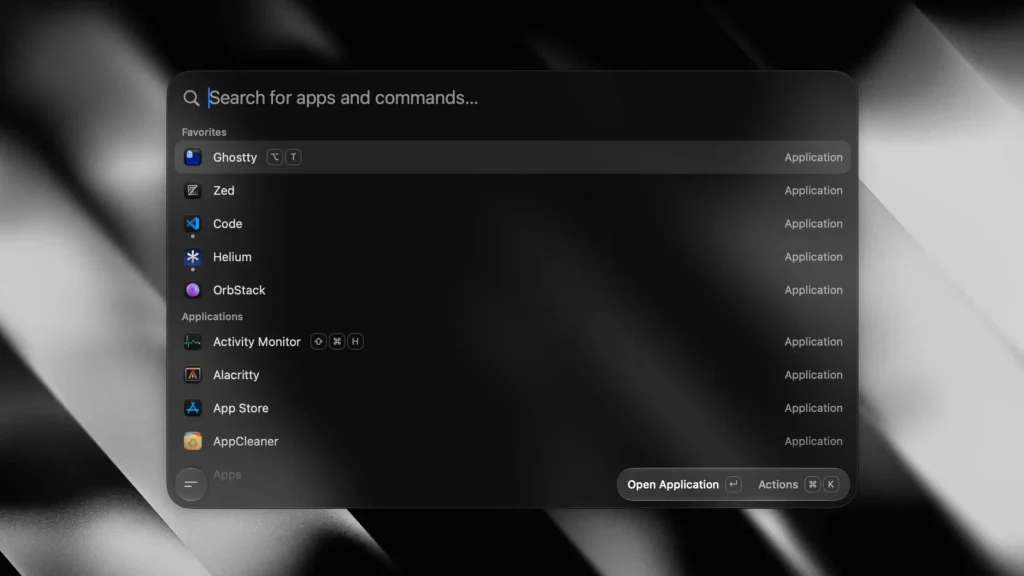
Tinycast, a free, open-source macOS launcher built as a lightweight alternative to Raycast, is gaining traction on GitHub. Written in Apple’s native frameworks, the app consumes under 100MB of RAM and can run official plugins from its main commercial rival. Launched this summer, the project has already earned over 5,400 stars on GitHub.
Native SwiftUI Instead of Electron and Window Tiling
Tinycast’s key engineering decision was ditching Electron in favor of SwiftUI and AppKit. Developed under the pseudonym abue-ammar, the app focuses on minimal input latency: it responds instantly to keystrokes, leaves no background load on the CPU, and is completely free of telemetry trackers and ads.
The search bar covers basic workday scenarios:
- File indexing and search powered by the native Spotlight engine;
- Automatic clipboard history, text snippets, a calculator, and a currency converter;
- Running custom terminal scripts and Apple Shortcuts;
- A built-in window manager with 34 actions to arrange windows in halves, thirds, or quarters, and send them to external displays.
According to the project documentation on GitHub, Tinycast supports running plugins from the Raycast catalog: the utility intercepts extension code and renders interface elements using native system components, letting users seamlessly import ready-made configurations.
🚀 Introducing Tinycast! A tiny, blazing-fast, fully native written in swift Raycast alternative.
— kuro (@abue_ammar) July 26, 2026
• < 100MB RAM & 3MB on disk
• Unlimited clipboard history
• Import everything from Raycast
• Free & open source
• No account, No telemetry. No bullshithttps://t.co/7SsXkdOY2y pic.twitter.com/AH8F4urRaH
Local AI Without a Monthly Subscription Fee
The app’s approach to AI integration sets it apart from competitors. While Raycast’s base tier with AI access costs at least $10 per month, Tinycast is completely free and gives users full freedom in choosing AI models:
- On-device Apple Intelligence algorithms running directly on the Mac’s Neural Engine without an internet connection;
- Connecting custom open-source models via a local Ollama server;
- Using personal API keys from OpenAI, Anthropic (Claude), Google Gemini, or OpenRouter with secure storage in the macOS Keychain.
Tinycast’s source code is licensed under AGPL-3.0, with recent builds optimized for both Apple Silicon and Intel chips. When installing, keep one technical detail in mind: the developer did not obtain a paid Apple Developer ID signature, so after downloading the DMG file, you will need to manually remove the system quarantine flag in Terminal or install the package via Homebrew.