









Anthropic Launches Claude in Chrome Extension: Syncs with Claude Code and Adds AI Browser Control
 ·
12.08.2026 23:47
·
2 min read
·
12.08.2026 23:47
·
2 min read
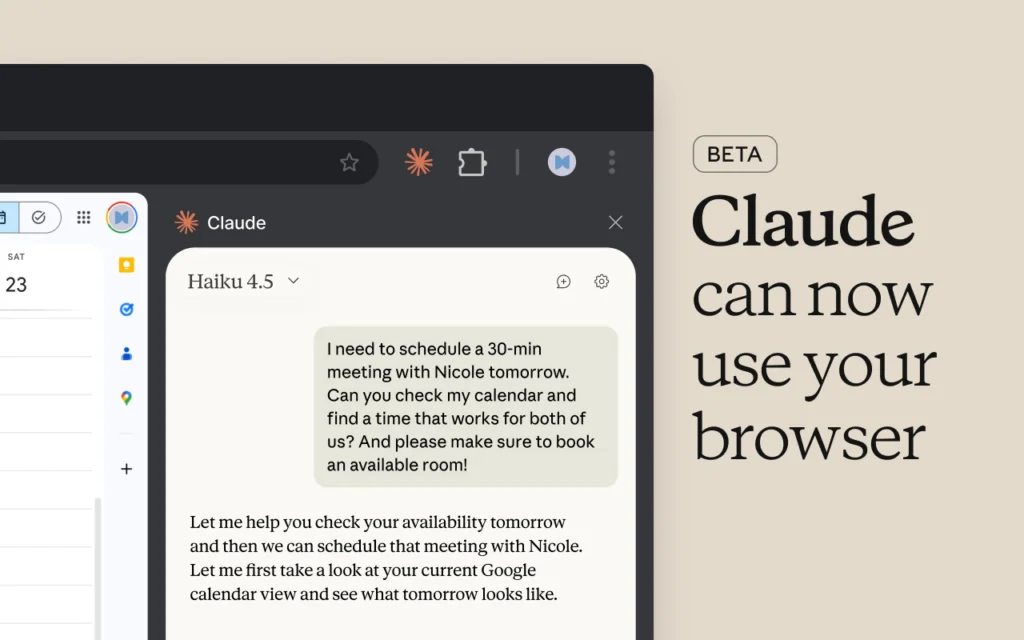
Anthropic has released an official browser extension called Claude in Chrome. It syncs sessions between the Claude Code console AI agent, mobile apps, and the web version, and gives the model direct actions on web pages.
The extension is available in the Chrome Web Store and acts as a full AI agent with computer use capabilities. Claude in the browser can click elements, fill out forms, follow links, and connect third-party services through skills and connectors in the sidebar.
For web developers, when paired with the Claude Code console tool, it offers built-in debugging features: the model can analyze the DOM tree of pages, read the browser’s error console, inspect network requests, and take screenshots to compare site rendering against Figma design mockups.
Access and Security
Claude in Chrome is available only to subscribers of the paid Pro, Max, Team, and Enterprise plans. In enterprise versions, administrators can centrally enable or block the plugin for employees.
To prevent data compromise, Anthropic has implemented a security system:
- Blocking financial transactions: the extension automatically disables AI actions on banking sites and when entering payment details;
- Permission control: users create a whitelist of trusted sites for AI interaction. If suspicious activity from third-party scripts is detected, the extension pauses immediately.
Your Claude in Chrome sessions now carry over to desktop, web, and mobile. Conversations are saved, and your skills and connectors work in the browser.
— Claude (@claudeai) August 12, 2026
Available on Max and Team today, rolling out to Pro in the coming weeks. pic.twitter.com/Hnxs18PVI8