










Anything2Explainer Turns Any Topic into a Finished Video — From Script to MP4 via AI Agents
 ·
18.09.2026 15:43
·
3 min read
·
18.09.2026 15:43
·
3 min read
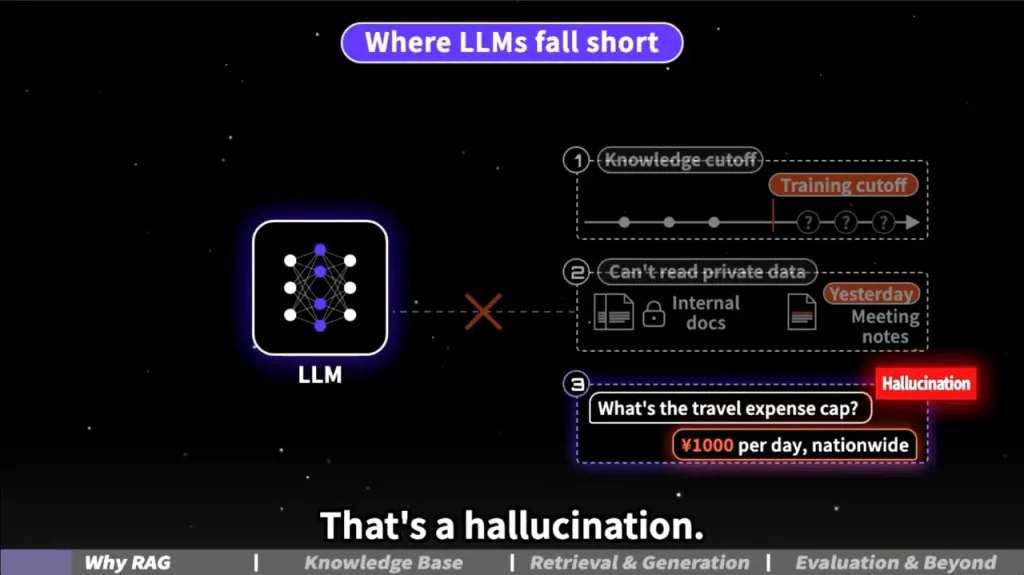
A project called Anything2Explainer is gaining traction on GitHub as a tool that automates the creation of educational and explainer videos. Users simply enter a topic or input an article, and the system handles the research, writes a script, generates a storyboard, produces voiceovers, and renders the final MP4 file. Launched in early September, the project has already gathered over 1,600 stars on GitHub.
Understanding the underlying tech is key: this is not a neural network for video stream generation like Sora, nor is it a standard web service with a “Make Video” button. Anything2Explainer functions as a “skill”—a collection of specialized instructions, templates, and constraints designed for autonomous AI agents like Claude Code and Codex.
Rather than hallucinating images out of pixel noise, the agents rely on the Remotion framework (React + TypeScript) to render each scene programmatically. This produces a deterministic video at 1280×720 resolution and 30 frames per second. There are no stock footage clips or generation artifacts—every element, chart, subtitle, and timeline is defined in code, allowing any scene to be edited in a text editor and re-rendered with predictable results.
How Parallel Agents Work
The production pipeline is split into nine stages. First, a single agent gathers materials along with source citations, writes the text, and builds a frame-by-frame timeline. By default, it uses the local Kokoro-82M speech model for English voiceovers and the cloud-based Edge TTS for Chinese, though users can supply custom audio if preferred.
Once the script is approved, the system kicks off parallel processing. Depending on the video’s runtime, anywhere from 4 to 14 agents write code for individual scenes simultaneously. Next, Quality Control (QC) agents step in to inspect rendered frames against design guidelines, sending the code back for revisions if necessary.
Social media claims that “AI builds a professional video in an hour” come with an asterisk. According to the documentation, producing a 2- to 3-minute video does take about an hour of real time. However, a 5- to 8-minute clip requires up to three hours of uninterrupted script execution on the user’s machine.
废话不多说,直接开源
— Vincent文森特 (@VincentWei93) September 9, 2026
anything2explainer,给它一个 topic,就能一键制作这种质量的科普视频
目前为止个人创作最满意的 skill,刚做出来看到效果的时候,甚至想要不 directly 用来批量制作科普视频起号得了,想了想还是开源出来
所有内容均通过代码制作,100%可控 pic.twitter.com/GfPpUGZlPa
Licensing and Technical Limitations
The project is free to download but distributed under the PolyForm Noncommercial license. This means the toolkit itself can only be used freely for personal and non-commercial purposes. Commercial use of the pipeline requires the creator’s permission, though ownership of the output videos remains with the user. Users must also consider the license for the Remotion framework itself, which is free for indie developers but requires a paid license for enterprise use.
Currently, Anything2Explainer only supports horizontal 16:9 videos and works in English and Chinese. Running it requires a local environment with Node.js, Python, and FFmpeg installed.
What makes the project particularly notable is its architecture. The author demonstrated how to turn a standard coding assistant into a full-fledged automated production studio, delegating tasks among a digital researcher, scriptwriter, animators, and a quality control team.
