








Open-Source Tool Free Claude Code Combines 50 Providers for Free AI-Agent Coding
 ·
26.08.2026 15:01
·
3 min read
·
26.08.2026 15:01
·
3 min read
An open-source project called Free Claude Code is gaining traction on GitHub, acting as a universal local router for AI development. The tool lets developers use terminal interfaces for Claude Code, Codex, Cline, and other popular agents by connecting them to free tiers from 50 external providers or local neural networks.
According to the developers, the combined free tier limits across all supported services total over 1.3 billion tokens per month.
How the Local Proxy Works and 9 Supported Agents
Instead of bypassing Anthropic’s proprietary servers, the utility runs a local proxy server on the user’s computer. The system intercepts commands from the selected client and routes them to designated language models via standard APIs.
The project currently supports nine popular clients: Skill libraries such as RampStack fit into the same ecosystem of modular AI tools by splitting agent work into specialized scenarios.
- Claude Code and Codex;
- OpenCode, Cline, and Hermes;
- Pi, DeepSeek Harness, Grok Build, and Muse Code.
Supported providers include NVIDIA NIM, OpenRouter, Groq, Google Gemini, OpenAI, xAI, DeepSeek, Cerebras, SambaNova, Cloudflare Workers AI, and GitHub Models, as well as local engines Ollama, LM Studio, and llama.cpp.
Automatic Fallback Models Switching and Token Savings
A key feature of the router is its Fallback Models redundancy system. Users can set up a prioritized chain of models in advance: if the primary free service hits rate limits or encounters a network error, the utility automatically routes the request to the next model in the list. The fallback happens seamlessly within the active session without losing context or restarting the task.
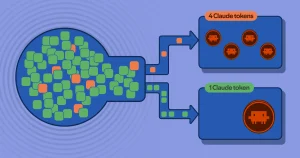
To reduce quota consumption, the system handles certain administrative commands locally (such as searching file paths, checking rate limits, and offering syntax hints) without spending LLM tokens. An additional module called RTK compresses terminal output before sending it to the neural network, delivering up to 90% token savings on console log output.
Voice Input and IDE Integration
According to the project’s architecture documentation, the tool integrates with VS Code and JetBrains IDEs and supports remote control via Telegram and Discord bots. For voice input, transcription is powered by a local Whisper model or NVIDIA NIM cloud module.
Installation on Windows and Linux takes a single terminal command, launching a local Admin UI dashboard to configure API keys and fallback chains.