









Gartic Phone Launches on iOS and Android: Mobile Features, Crocodile Mode, and Crossplay Support
 ·
26.07.2026 20:12
·
2 min read
·
26.07.2026 20:12
·
2 min read
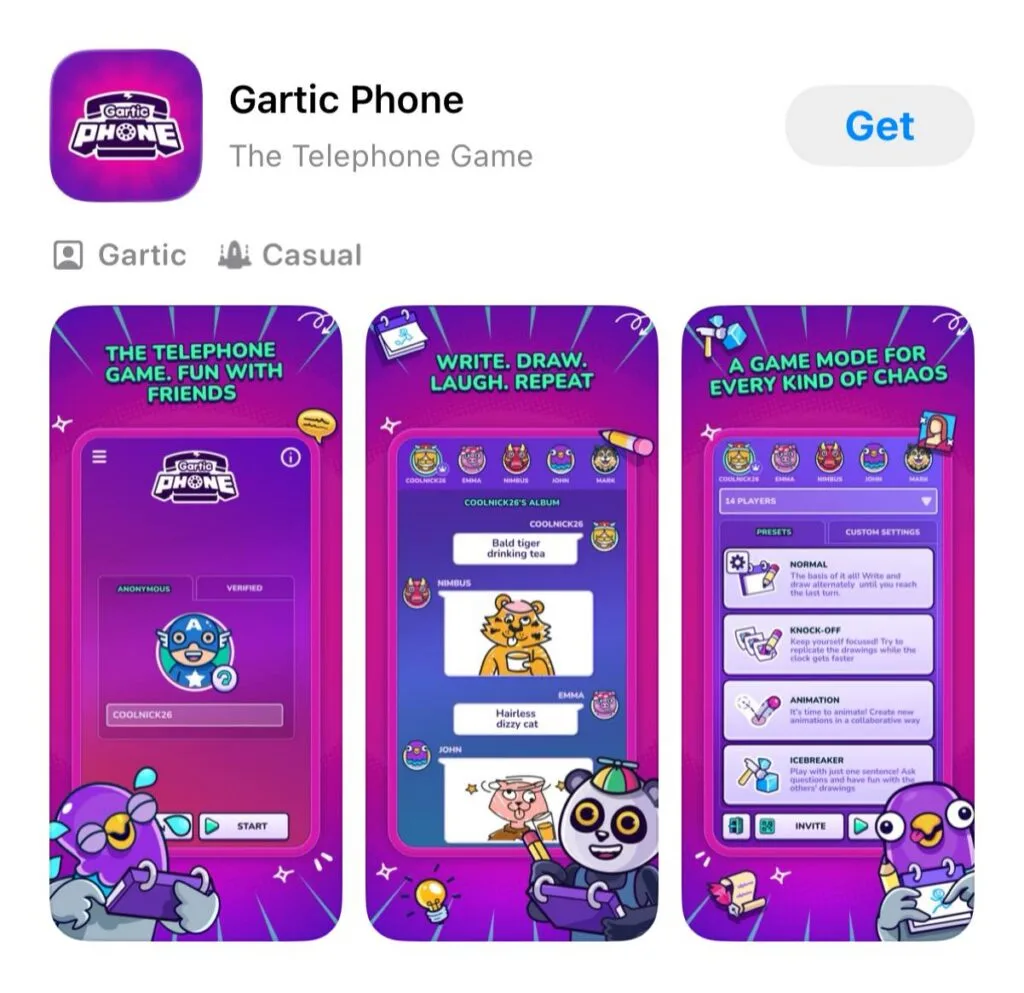
Studio Onrizon has officially released a full mobile version of the popular co-op game Gartic Phone. The developers did not simply wrap the web version in an app shell; they built a responsive client with exclusive controls, voice chat, and crossplay support with PC users.
Exclusive features and adaptive controls
The mobile version now features touch controls and an enhanced interface specifically designed for drawing on smartphone screens.
- Touch gestures: The app supports pinch-to-zoom, two-finger canvas panning, and quick undo and redo gestures with double and triple taps.
- Enhanced Canvas: New features include landscape mode, a helper grid, and larger brush sizes for precise finger painting.
- Quick Connect: You can invite friends to your lobby using direct links, QR codes, or short room codes.room codes).
Game modes and word sets
The app features both the classic “telephone game” mechanic and several alternative formats:
- Word Packs Pre-made word lists categorized by theme (e.g., “Party,” “Animals,” “After Dark 18+”), or the option to create your own custom collections.
- Freestyle Mode: Creating custom secret phrases and company-specific in-game memes.
- Pictionary Mode: A format where one player draws in real time while others race to guess the answer.
Cross-platform support and voice communication
- Crossplay: iOS and Android mobile players can now enjoy crossplay with users playing via PC browsers in the same game room.
- Voice Chat: The app features a built-in voice chat, allowing players to communicate during matches without needing third-party services.
- Monetization: The game is free-to-play and includes in-app advertising.
Where to download the mobile app
Gartic Phone is now available for download on official app stores:
- Download for Apple devices at App Store
- Download for Android Google Play