




How to Prompt GPT Image 2.5: Key Takeaways from OpenAI’s Official Guide
 ·
09.09.2026 11:52
·
2 min read
·
09.09.2026 11:52
·
2 min read
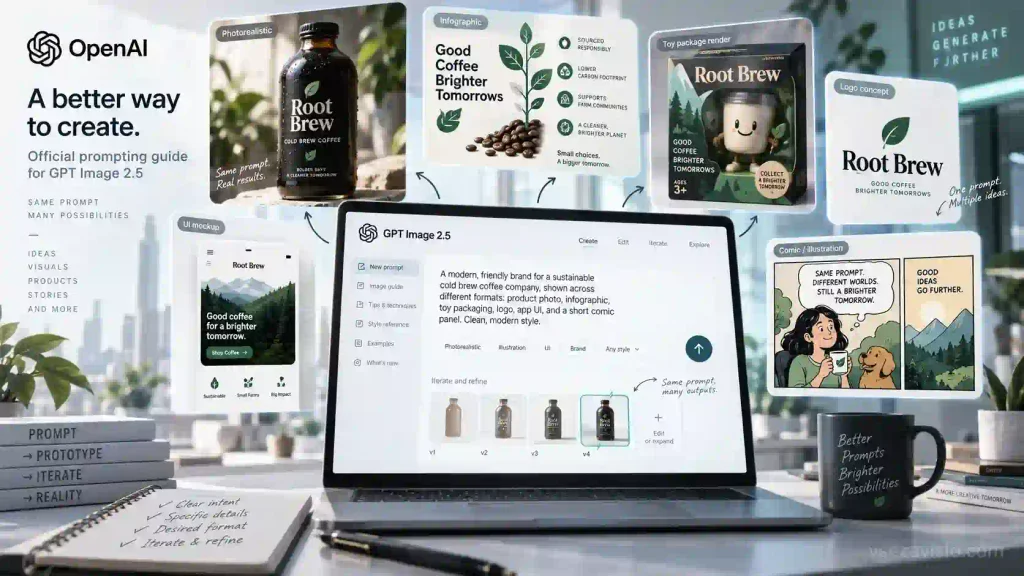
OpenAI has released a detailed guide for developers and designers on crafting prompts for its GPT Image 2.5 visual model. Using specific templates, the company’s engineers demonstrated how to achieve authentic photorealism, generate infographics with legible text, and perform precise layered edits without unwanted distortions to the frame.
Prompt Structure and Choosing Between Flare and Sunburst
In the OpenAI Developers guide, the authors recommend avoiding abstract artistic adjectives in favor of a modular prompt structure: a clear subject description, shot type and composition, lighting setup, style, and explicit negative constraints.
The documentation breaks down examples across two new API models:
- GPT Image 2.5 Flare serves as a fast production tool, generating frames twice as fast as its predecessors and making it ideal for concept art, social media content, and rapid iteration;
- GPT Image 2.5 Sunburst takes longer to compute, but delivers maximum geometric accuracy for UI mockups, complex diagrams, and vector logos on transparent backgrounds.
When generating realistic photos, engineers advise specifying the virtual camera type, lens focal length (such as 50mm or 85mm), and natural lighting conditions. For infographics and instructional diagrams, it is important to list required text elements item by item and enable high-detail mode to prevent text artifacts.
Targeted Edits and Working with Sketches
A separate section covers step-by-step editing of existing images. To keep the model from re-rendering the entire composition when modifying a single detail, the authors suggest a strict formula: explicitly state what needs to change, followed by the rigid directive “do not change anything else.” Complex revisions are best split into several smaller iterations.
When transforming a rough hand-drawn sketch into a full 3D render, the guide recommends locking in the original angle and proportions so the algorithm does not re-interpret the perspective.
While the examples focus on API usage with the quality and background keys, the core principles apply equally to the standard ChatGPT Images 2.5 web interface, helping users build quality mockups faster without wasted generations.