












FluentFlyout Utility Brings Media Controls to the Windows Taskbar
 ·
15.08.2026 00:57
·
2 min read
·
15.08.2026 00:57
·
2 min read
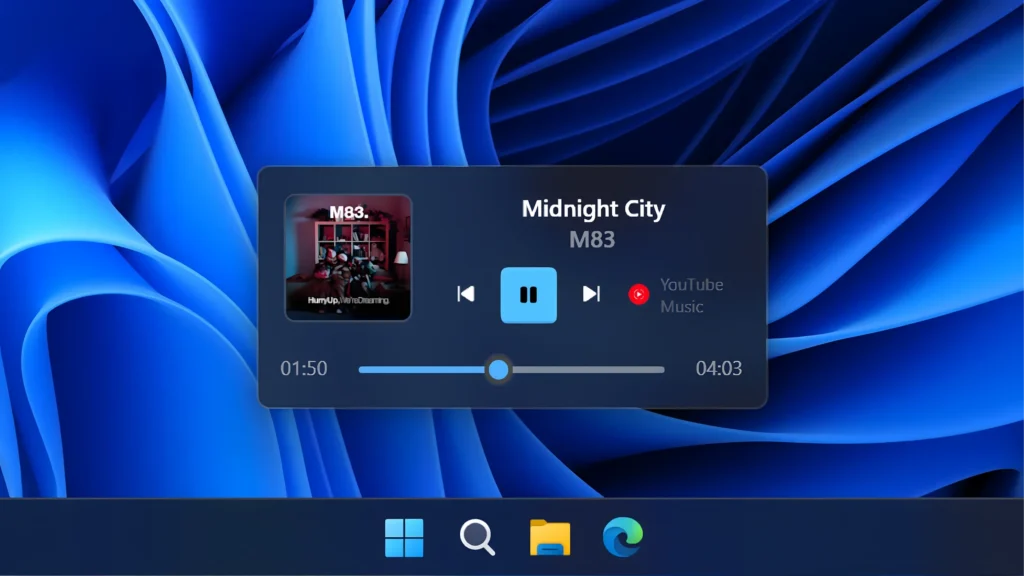
An open-source utility called FluentFlyout is available for Windows 10 and 11, embedding a media playback widget directly into the taskbar in the visual style of Windows 11.
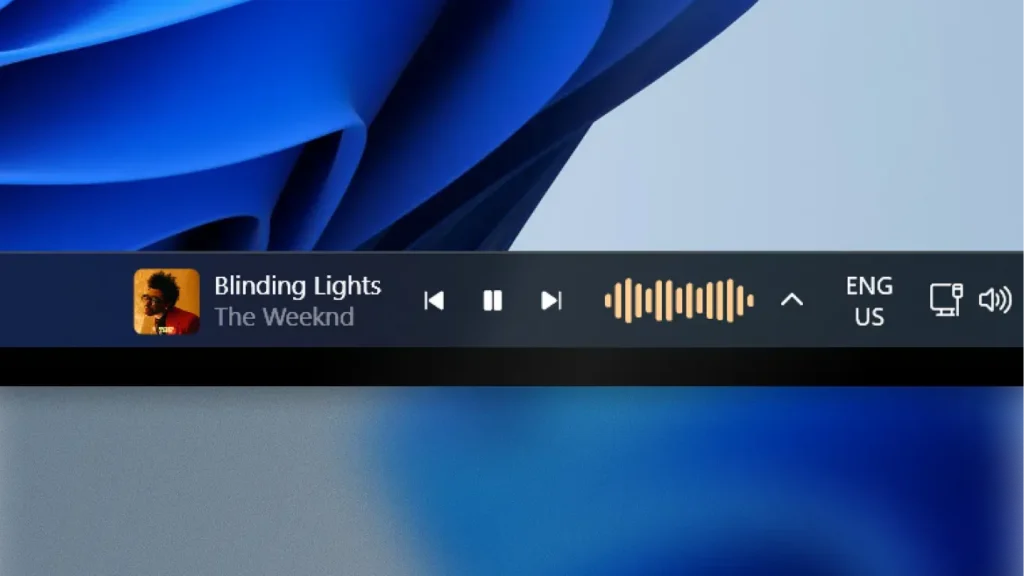
The Taskbar Media Widget displays current track artwork, song title, artist name, a seek timeline, and standard playback controls. Interaction relies on the Windows SMTC (System Media Transport Controls) protocol, making the utility compatible with Spotify, Windows Media Player, VLC, Apple Music, as well as Chromium- and Firefox-based browsers. The availability of specific buttons like repeat or shuffle depends on whether the media player passes these parameters to the operating system.
Additional features and customization
Beyond playback controls, the app offers several system add-ons:
- A separate volume flyout with a built-in mixer for individual app volume adjustments;
- An audio visualizer animated right on the taskbar;
- An “Up Next” panel displaying details about the next track in the queue;
- Support for Mica and Acrylic transparency effects with screen position settings;
- Automatic hiding of elements when running full-screen apps and games.
Compatibility and licensing
FluentFlyout supports Windows 10 (build 19041 and later) and Windows 11.
The project is developed as open-source software. A fully free version with no feature restrictions can be downloaded from the official FluentFlyout GitHub repository. In the Microsoft Store, the app follows a freemium model, offering the taskbar widget as a $3.99 premium feature to voluntarily support the developer.
